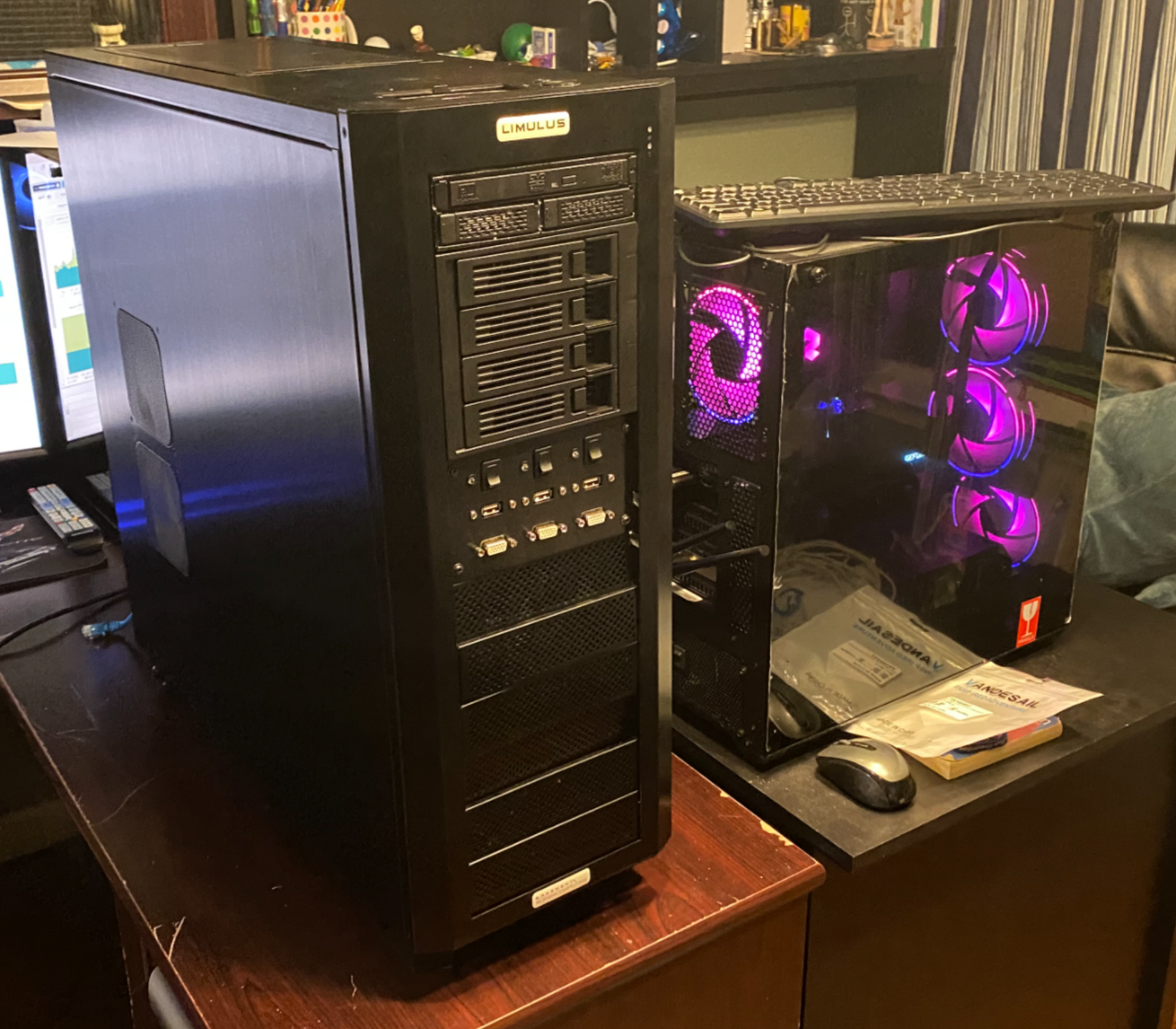
This massive tower was used as a 4 motherboard hardware cluster computer by the University of Indiana. In 2015, the university purchased this thing for around $6000 and used it for research as described in this article where they reference it as the Limulus HPC 200 Cluster Computer.
The cluster consists of a main motherboard (GRYPHON Z87) that is connected to 3 sub motherboards (ASUS Q87M-E), each with a standard 4 core CPU. The cluster has 2 SSD slots and 4 full sized hard drive bays, all of which is connected to the main motherboard. When the system booted up, the main motherboard would wake up all of the sub motherboards and send them all of the information they need to boot over ethernet. The sub motherboards had no permanent storage attached, so they would load this boot information into their RAM so that they could run. After all of the motherboards were up, the cluster would be able to spread tasks over all of its resources, allowing for 4 motherboards to act as a single 16 core computer.
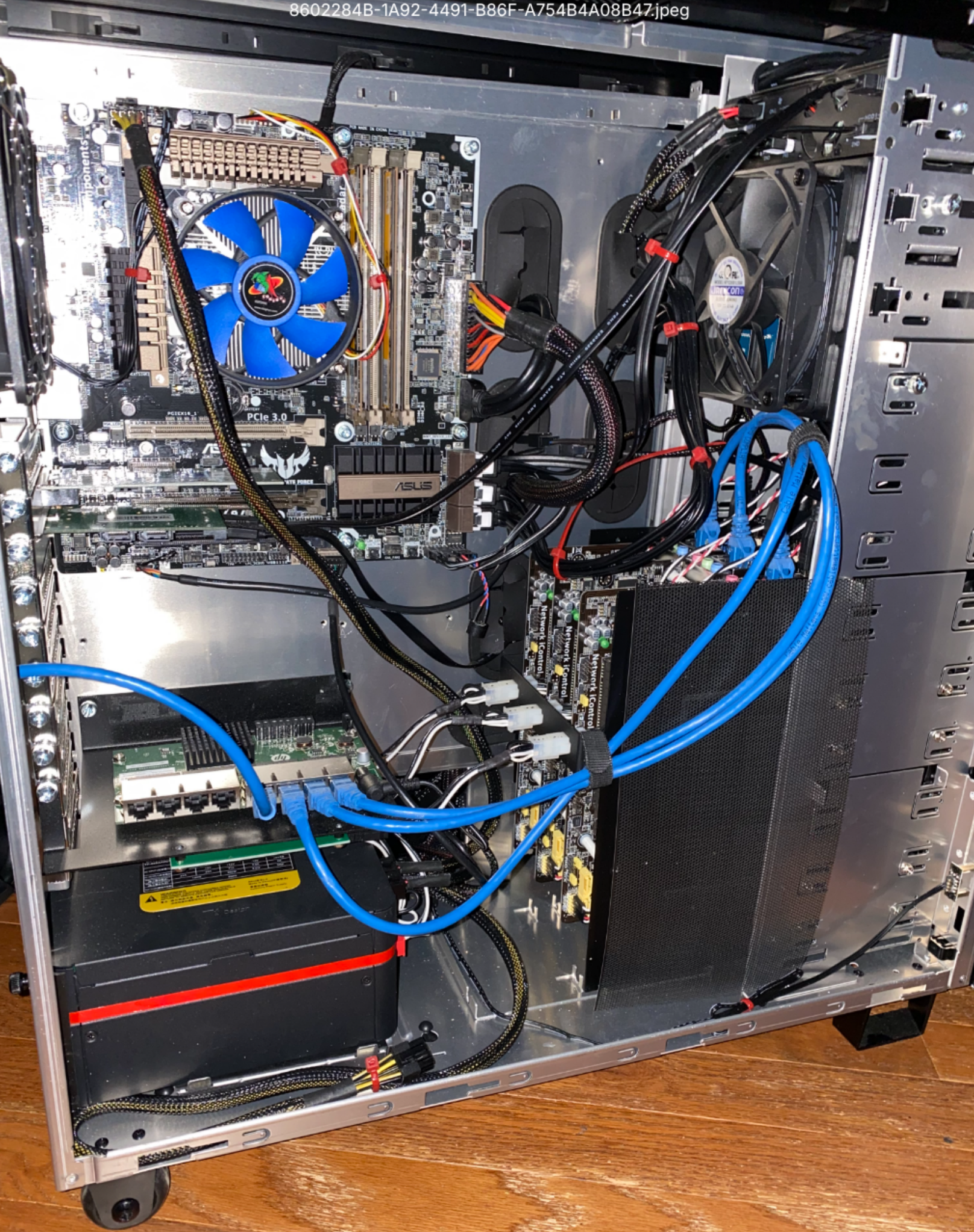
Inside, you can see the main motherbaord in the top left, a network switch in the bottom left, and the 3 sub boards in the bottom right.
Sadly, in the process of selling this machine to me, they removed all the drives and the setup for the cluster. While I could have set the cluster back up, I chose to instead turn this thing 4 seperate servers under one hood. I purchased a new HBA controller to allow the motherboard to talk to SAS hard drives, 3 small SSDs to connect to each of the sub motherboards to act as boot drives, and new power cables to replace the ones they stripped before selling.
The main motherboard was set up with a TrueNAS server (a network attached storage server to give any other computer on the network extra storage), with the 2 SSDs in a mirrored RAID to be a boot device, and the 4 HDDs in a RAID 10 display, giving me 8TB of redundant data. The sub motherboards were each set up with Proxmox VE (a virtual machine host that allows me to run dozens of servers on one machine), and then clustered together via software so that all of the boards could move virtual machines between themselves.
For images of this thing in use, check out my iPad KVM project, where I used this server to test if my KVM was working (the black screen with white text that appears throughout the post is the TrueNAS main screen).